
Week of 10.26.26

Messages
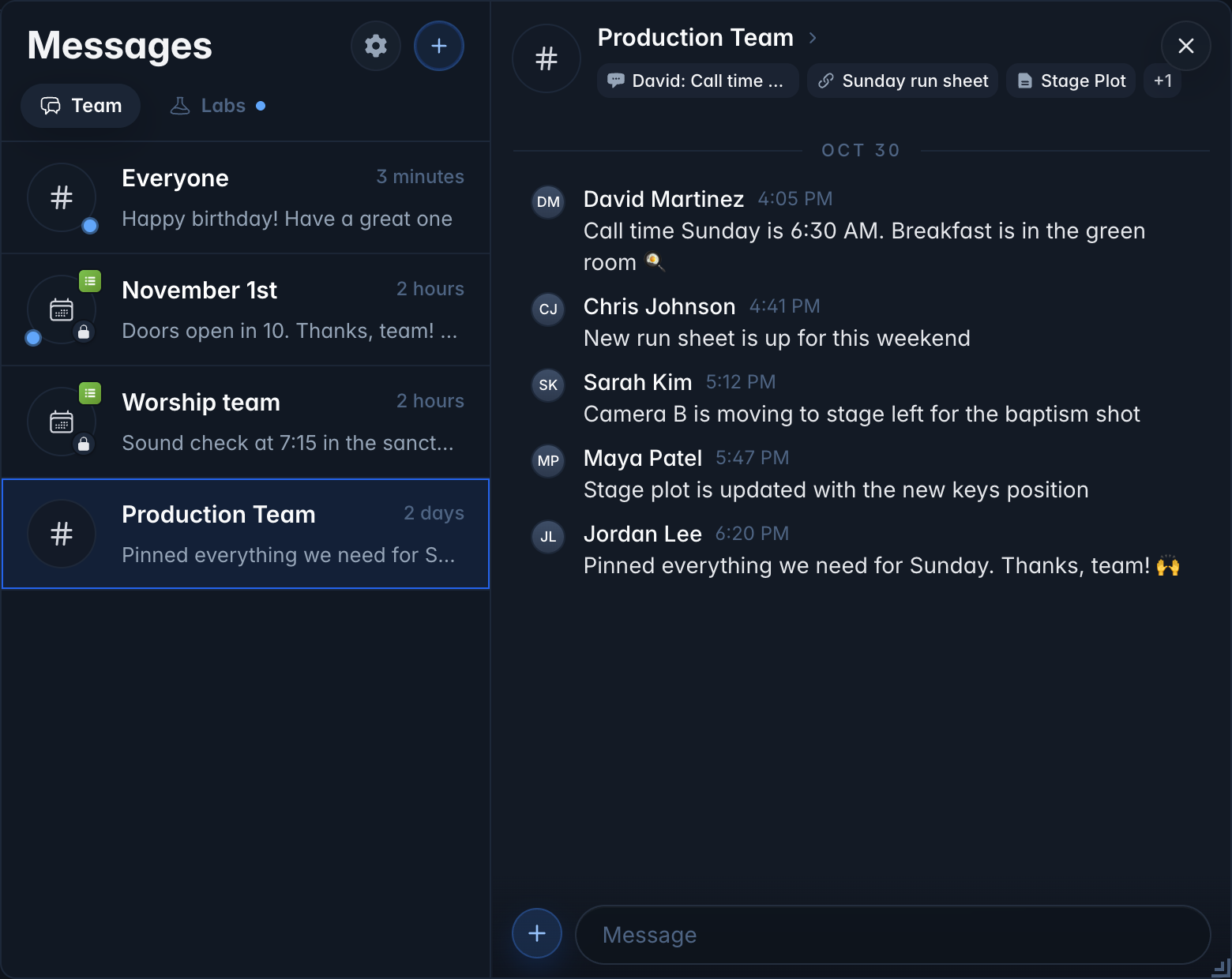
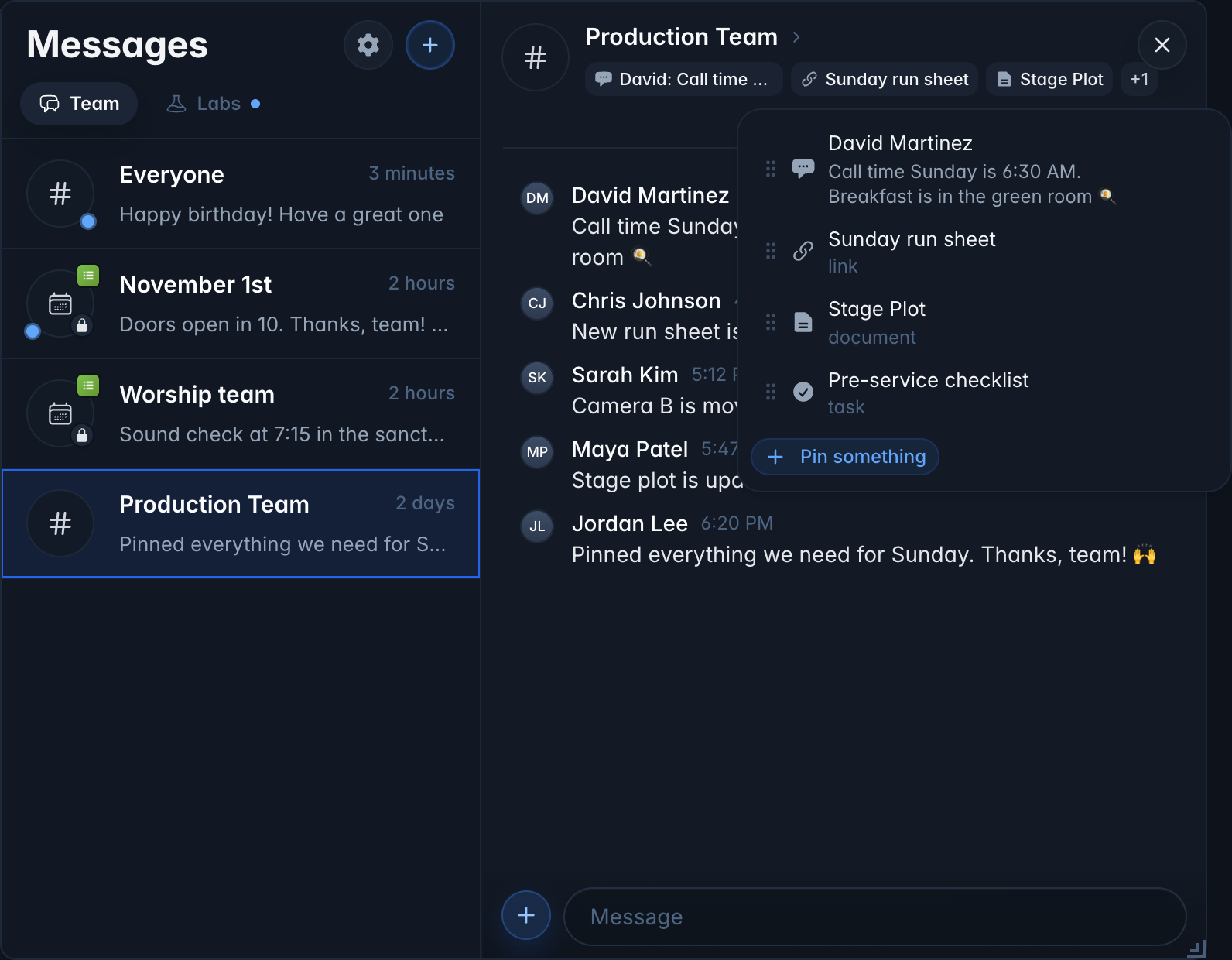
- Pins. Pin messages, files, links, documents, tasks and videos to the top of any conversation. Open a message's ... menu and choose Pin.
-
Recurring chats. Get a group chat for every service with the people scheduled on the teams you pick. Admins can click + in Messages and choose Recurring chat.
-
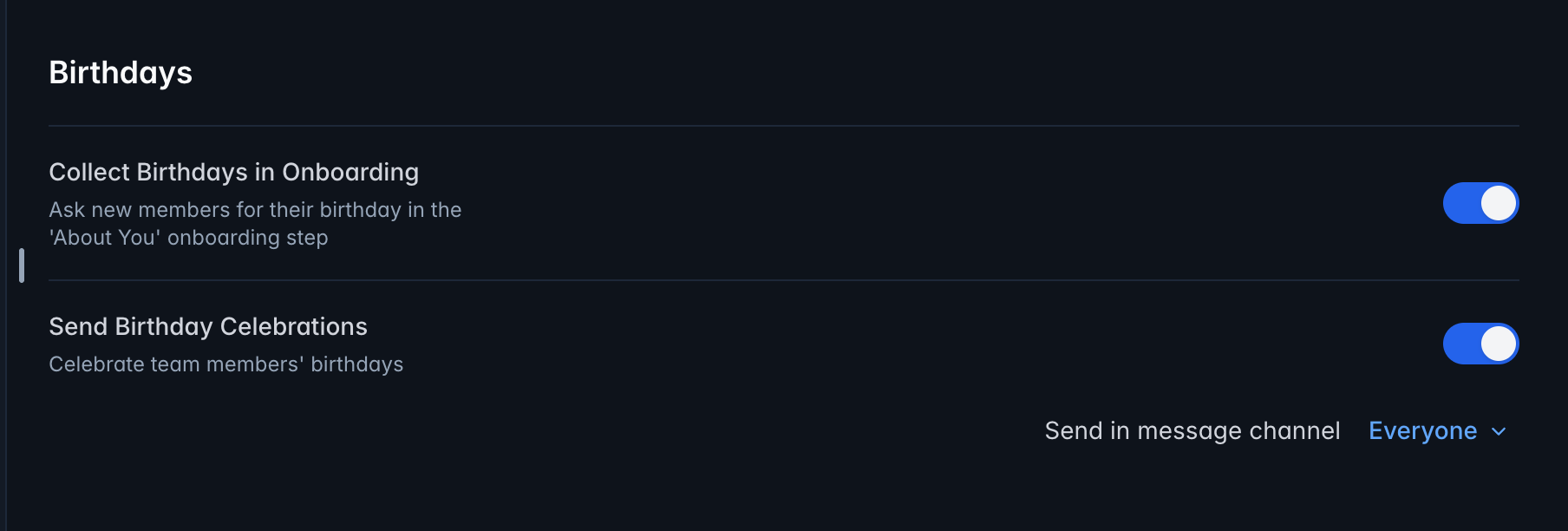
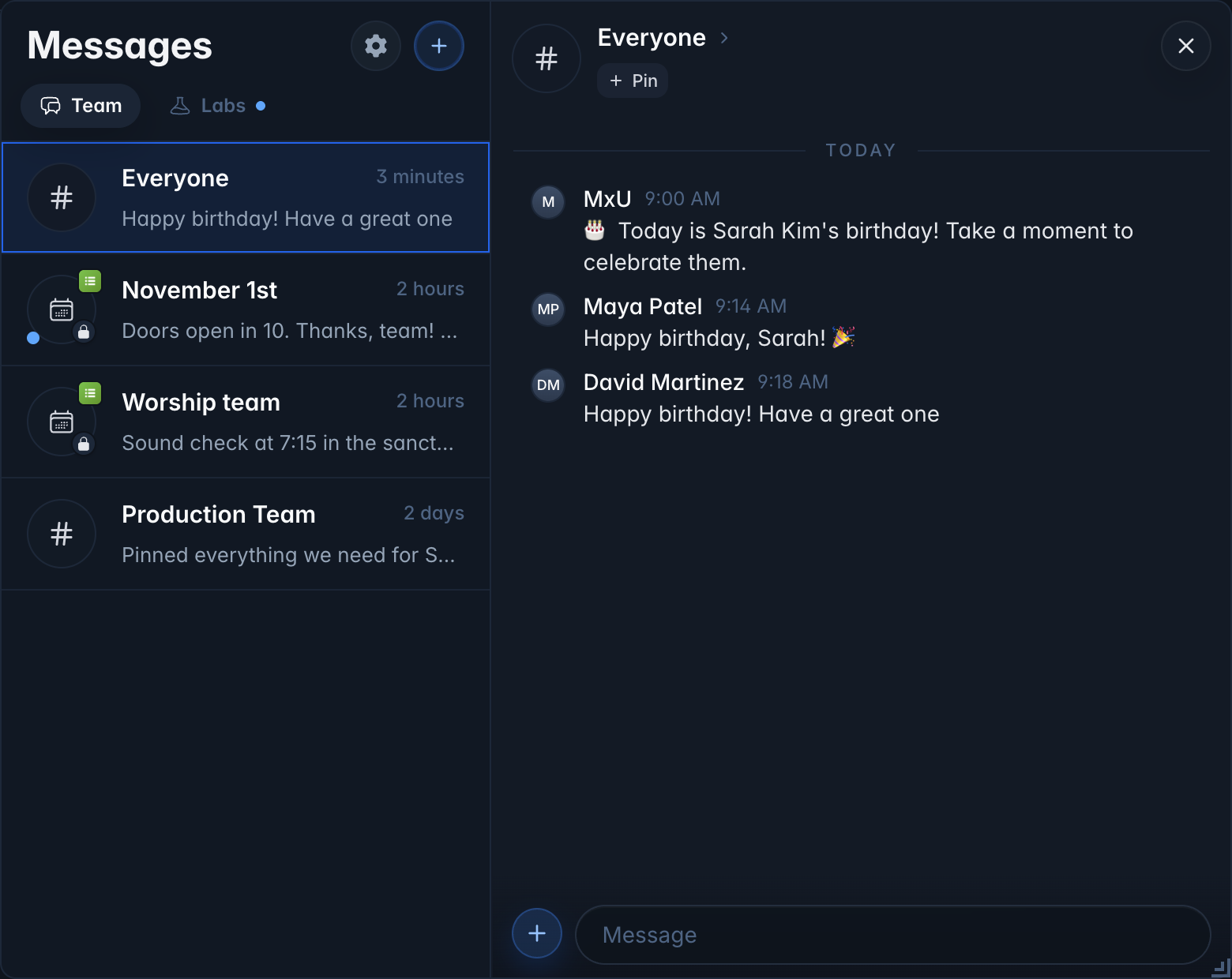
Birthday celebrations. Turn them on in Team Settings and pick a channel, and the MxU bot will post on each person's birthday. Birthdays sync from Planning Center.
Dashboards
-
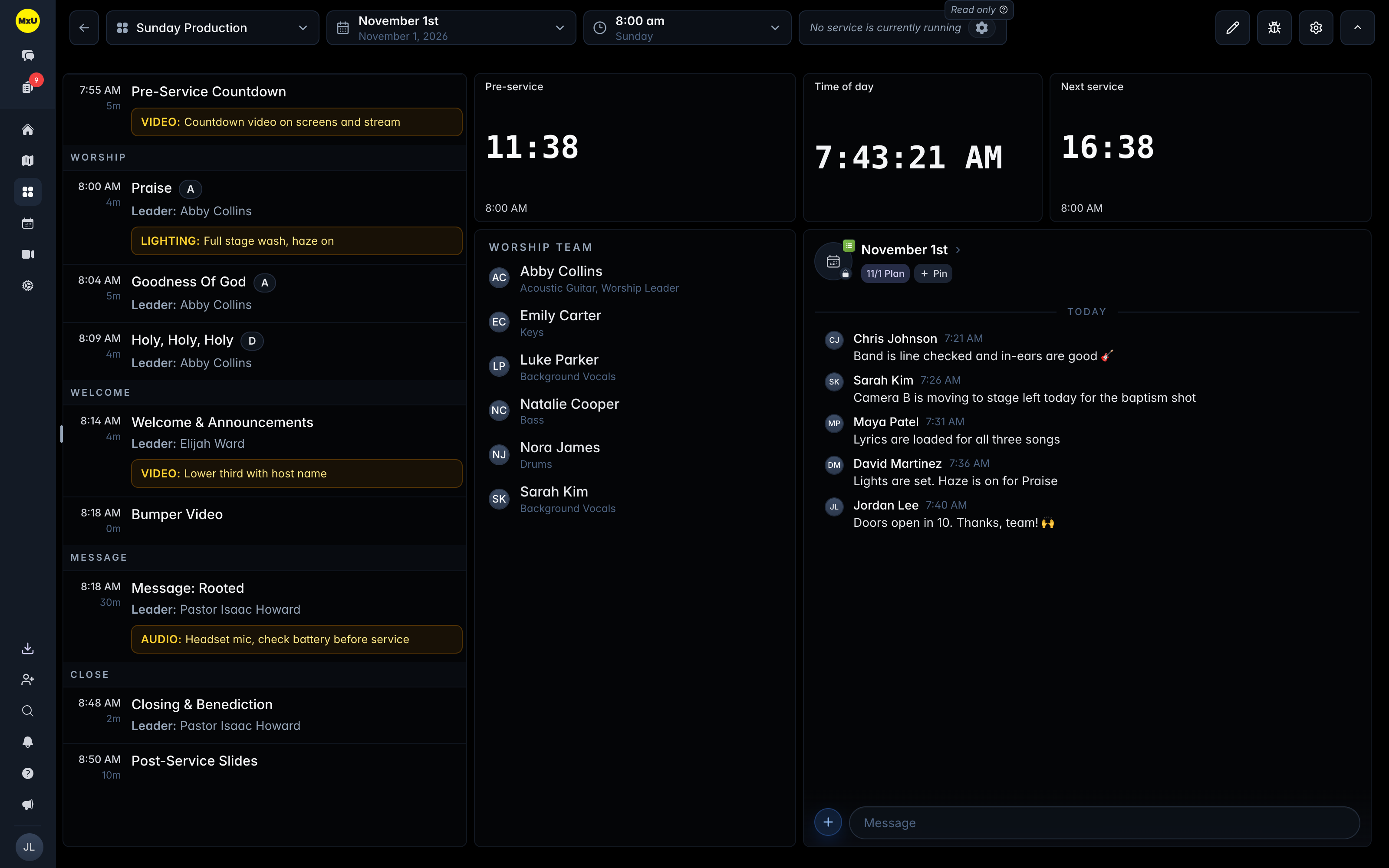
Messages object. Embed any chat on a dashboard, or a recurring chat that follows the current service.
-
People object team filter. Show only the teams and positions you choose.
-
Countdown to Pre-Service. A new timer that counts down to the first pre-service item, just like Planning Center Live.
-
Background color. Pick any color, like black for confidence monitors, under Display in dashboard settings.
-
Item Types filter. Hide headers, media or other items in Service Flow for a songs-only backstage setlist.
-
Item leaders from Planning Center now show above item notes.
-
Start on a specific slide. Linked ProPresenter items can wait for a chosen slide, so a blank intro slide doesn't start the timer early.
-
Timer refresh. Cleaner titles, digits that fit the object, and your choice of where the controls sit.
Training
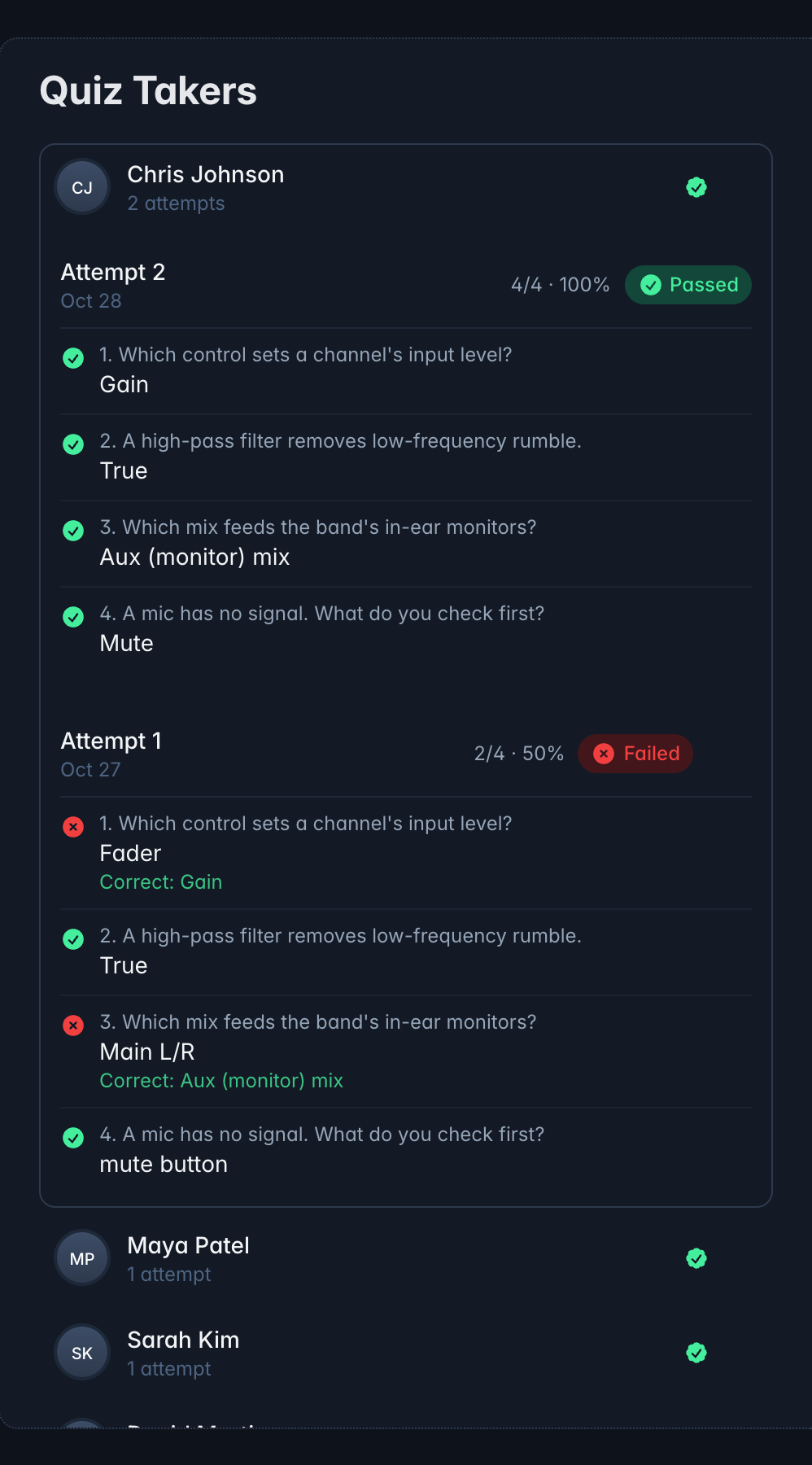
- Quiz answers by person. Open Quiz Takers on a course quiz to see every attempt and answer, and set your own passing score for any quiz.
Documents
- Edit together live. Documents and dashboard Notes update in real time as teammates type.
Live in the Next Mobile Update
-
iPad support. MxU on iPad, with layouts made for the bigger screen.
-
Pins on your phone. See, add and remove pins in any conversation.
Planned for Next Week
-
Countdown to Time option in Service Flow
-
Organize integrations by campus


